 TabKite

TabKite Workspaces
Too many tabs? Keep Chrome fast and your work organised.
Save each task's tabs as a workspace, let idle tabs sleep to give memory back, and never lose a session again.
One click to get back to work
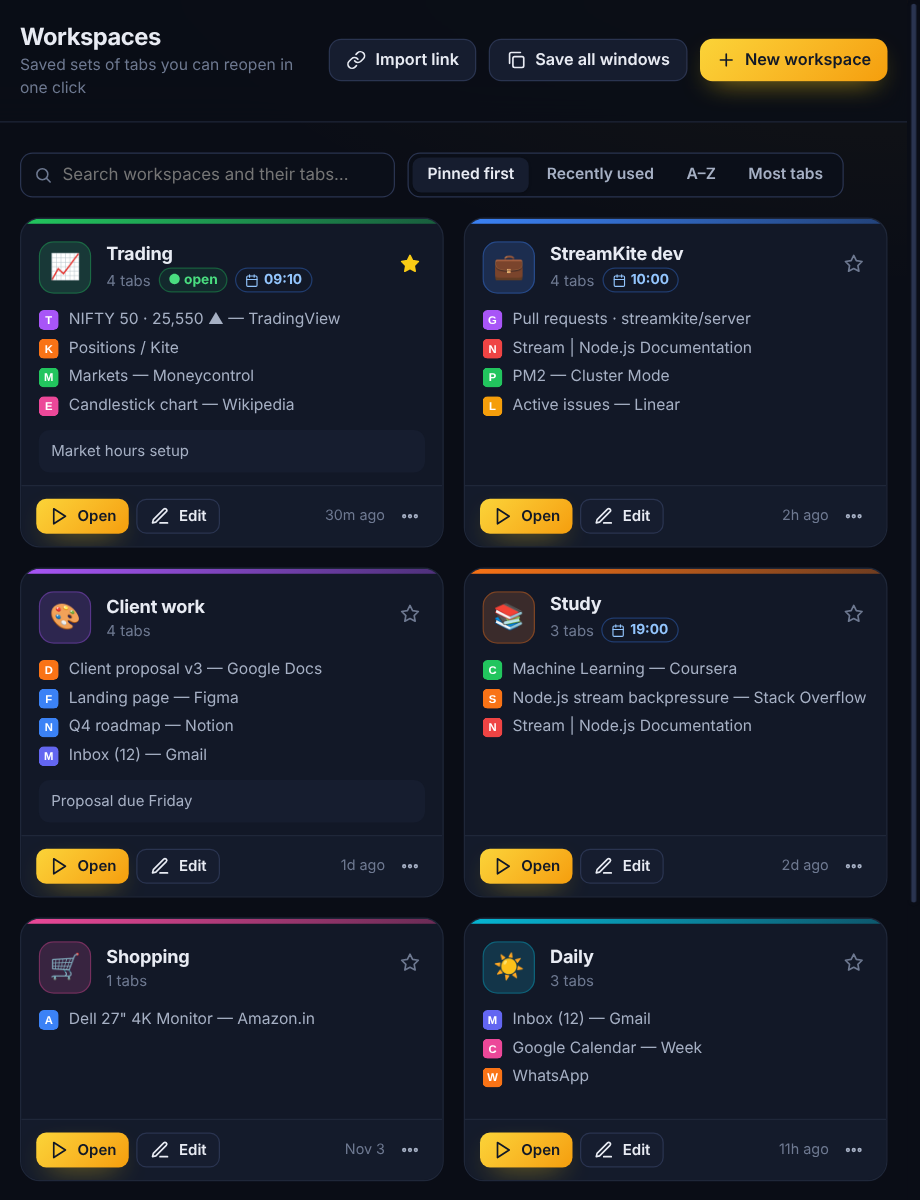
Save the tabs you use for a task as a workspace: trading, client work, study, a side project. Reopen all of them in one click.
- Keeps tab order, pinned tabs and Chrome tab groups with their names and colours
- Lazy loading: background tabs open asleep, so a 40-tab workspace opens instantly
- Open in a new window, add to the current one, or replace it
- Icons, colours, notes, pin to top, and "update with this window"
Free memory without closing anything
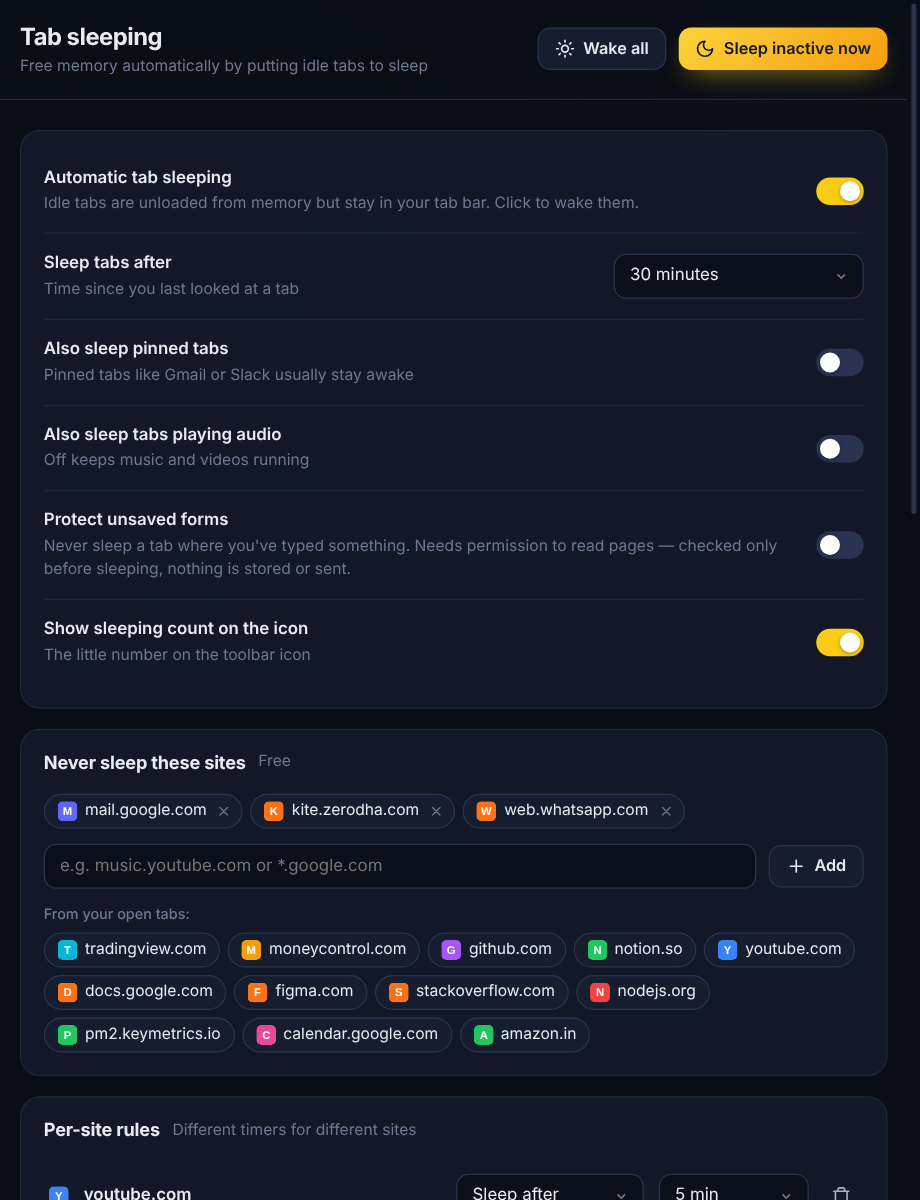
Tabs you haven't looked at for a while go to sleep. They stay in your tab bar, and one click wakes them.
- Uses Chrome's own tab discarding: no fake "suspended" pages, and nothing breaks when you uninstall
- Pinned tabs and tabs playing music stay awake unless you say otherwise
- Never-sleep list for sites like your mail or broker
- Optional unsaved-form protection: a tab where you've typed something never sleeps
Chrome crashed? Get every tab back
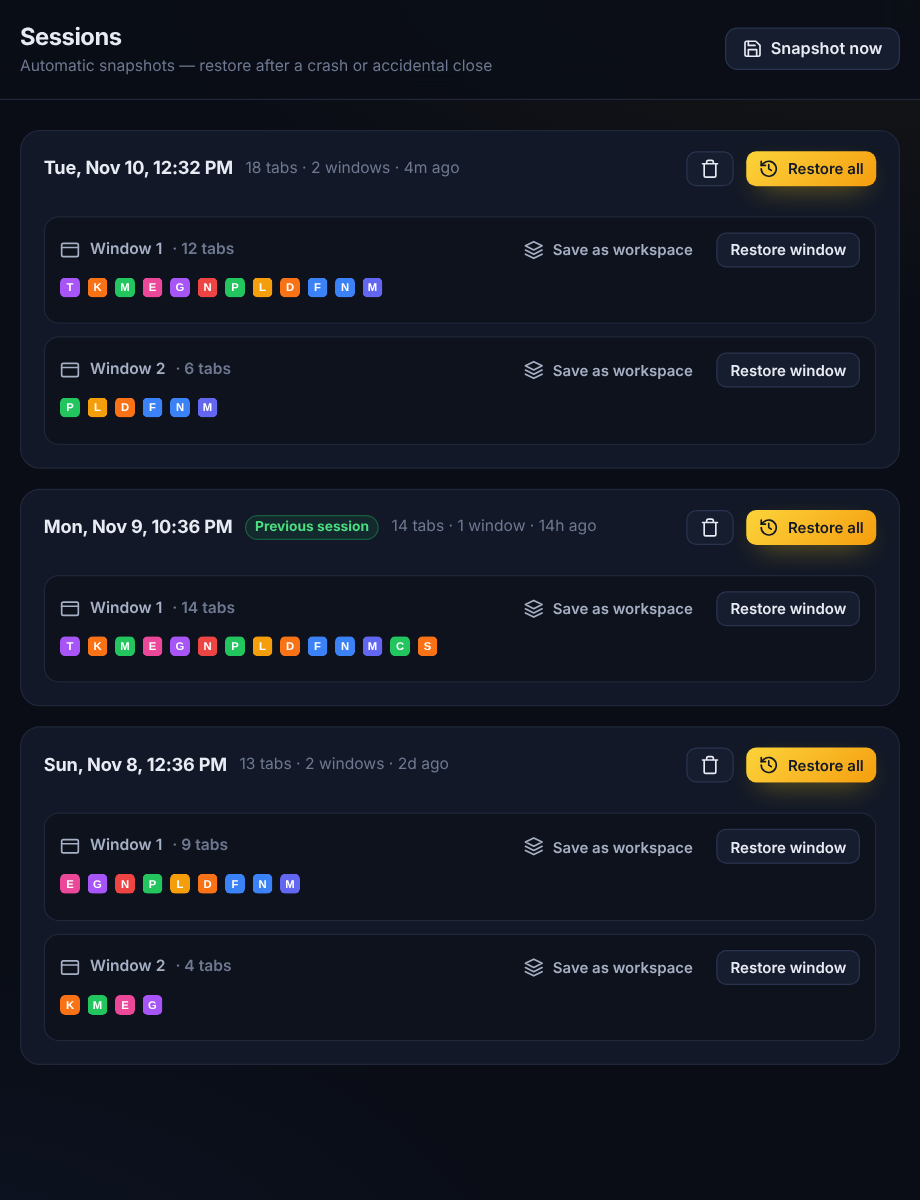
TabKite quietly saves your open windows every few minutes, so a crash or an accidental "close window" costs you nothing.
- Restore everything, or just one window
- Turn any snapshot into a workspace
- Free keeps your latest snapshot and your previous browser session
- PRO 30 days of history: go back to any day
Your tabs, ready before you are
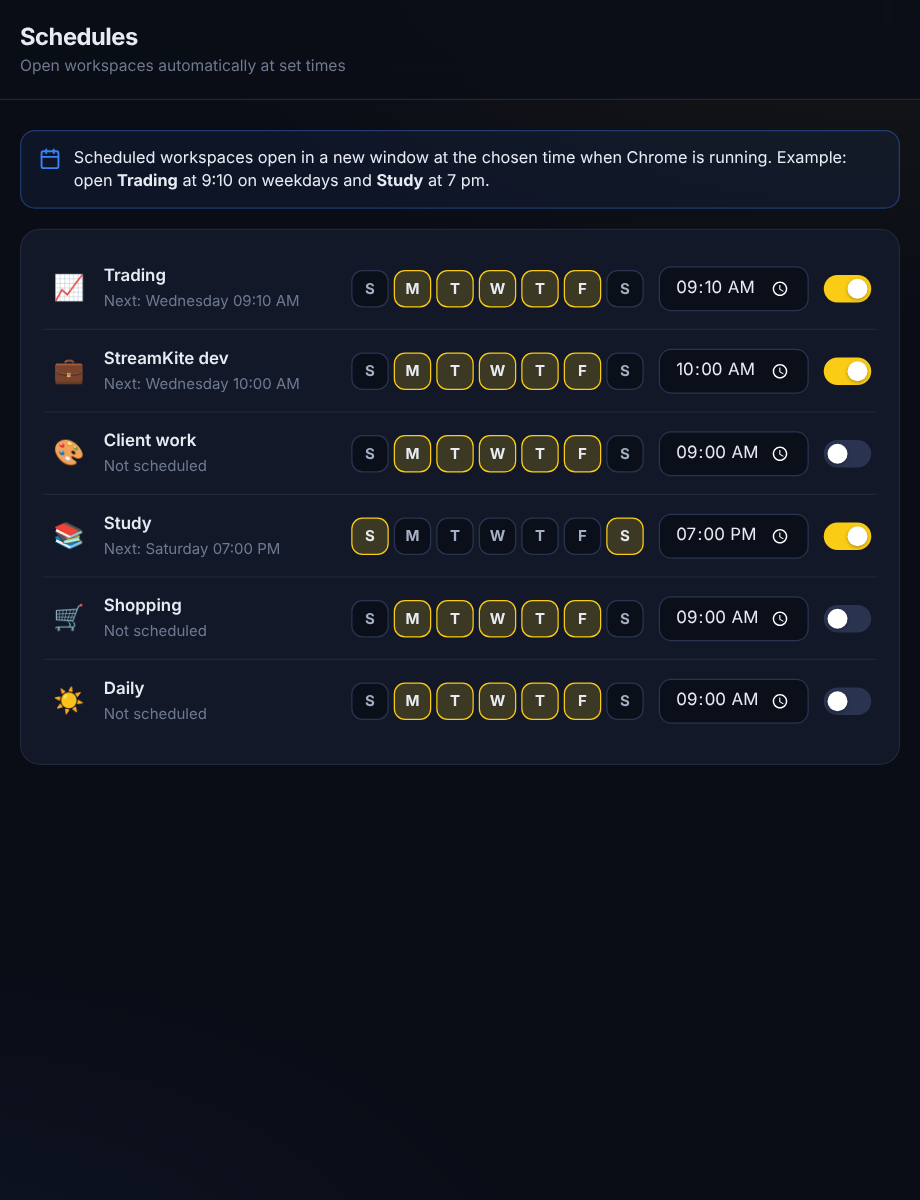
Have your work tabs open themselves every weekday morning, and keep every workspace up to date without thinking about it.
- Scheduled workspaces: pick days and a time, e.g. "Trading" at 9:10 on weekdays
- Live workspaces: tabs you open or close in a workspace's window are saved to it automatically
- Auto-archive: tabs you haven't opened for days close themselves into a searchable archive
- Per-site sleep timers: sleep YouTube after 5 minutes, keep your charts awake
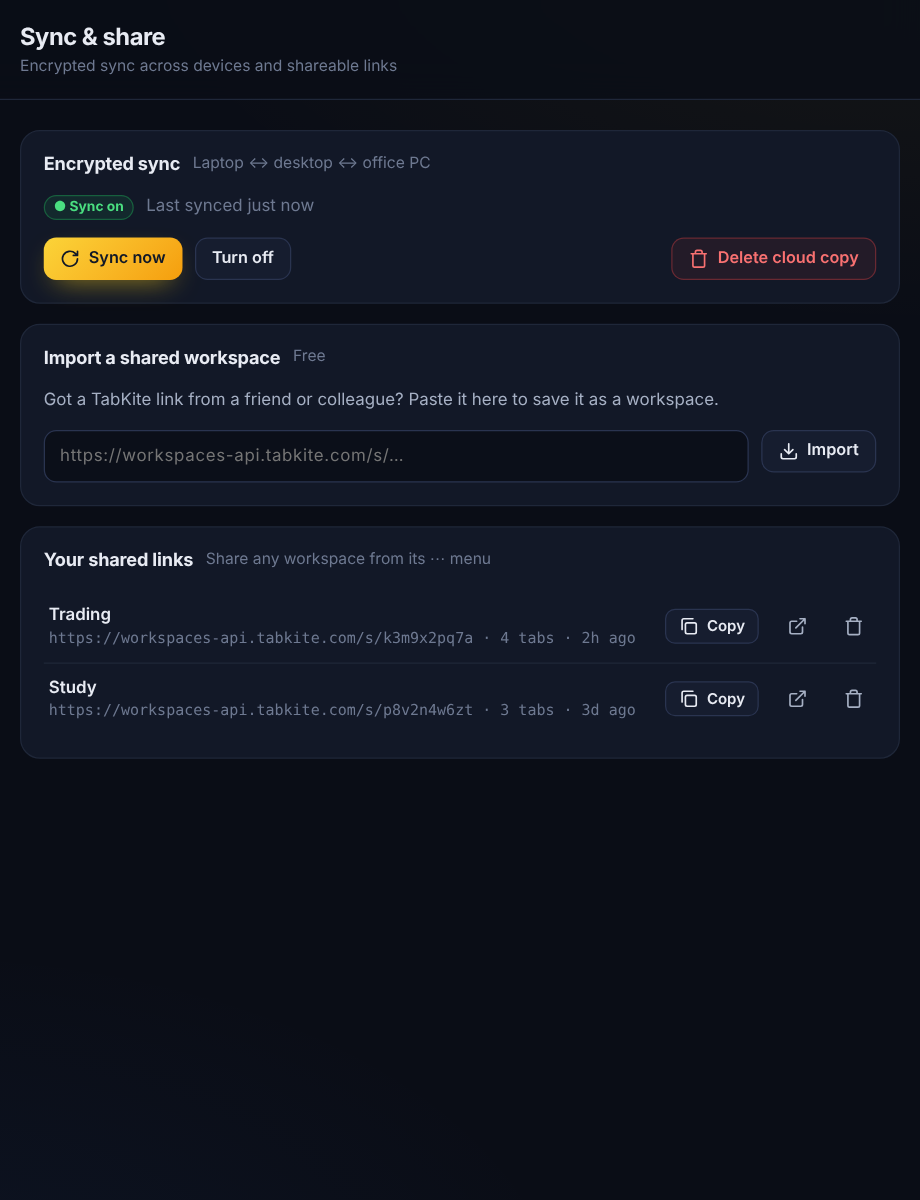
Same workspaces on every computer
Laptop, desktop, office PC: your workspaces follow you, end-to-end encrypted.
- Encrypted on your device with your own passphrase (AES-256). We can't read it
- Changes sync automatically in the background
- Share a workspace as a link: anyone can open the pages, and TabKite users can import it in one click
- Backup and restore to a file, plus Markdown and bookmarks export
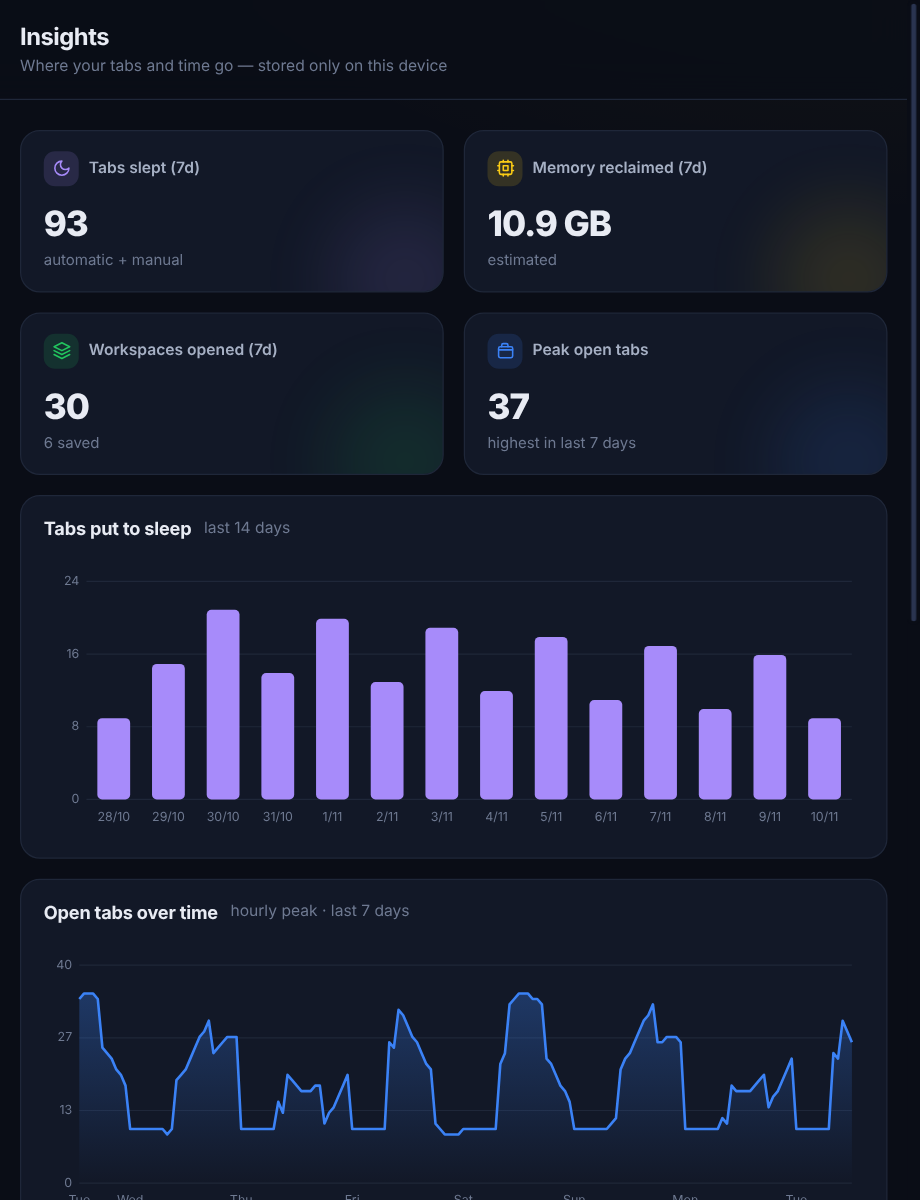
See where your tabs and time go
A private dashboard, calculated and stored only on your computer.
- Tabs put to sleep and estimated memory reclaimed, day by day
- How many tabs you keep open through the week
- The sites you actually spend time on, today and this week
- Workspaces opened and saved
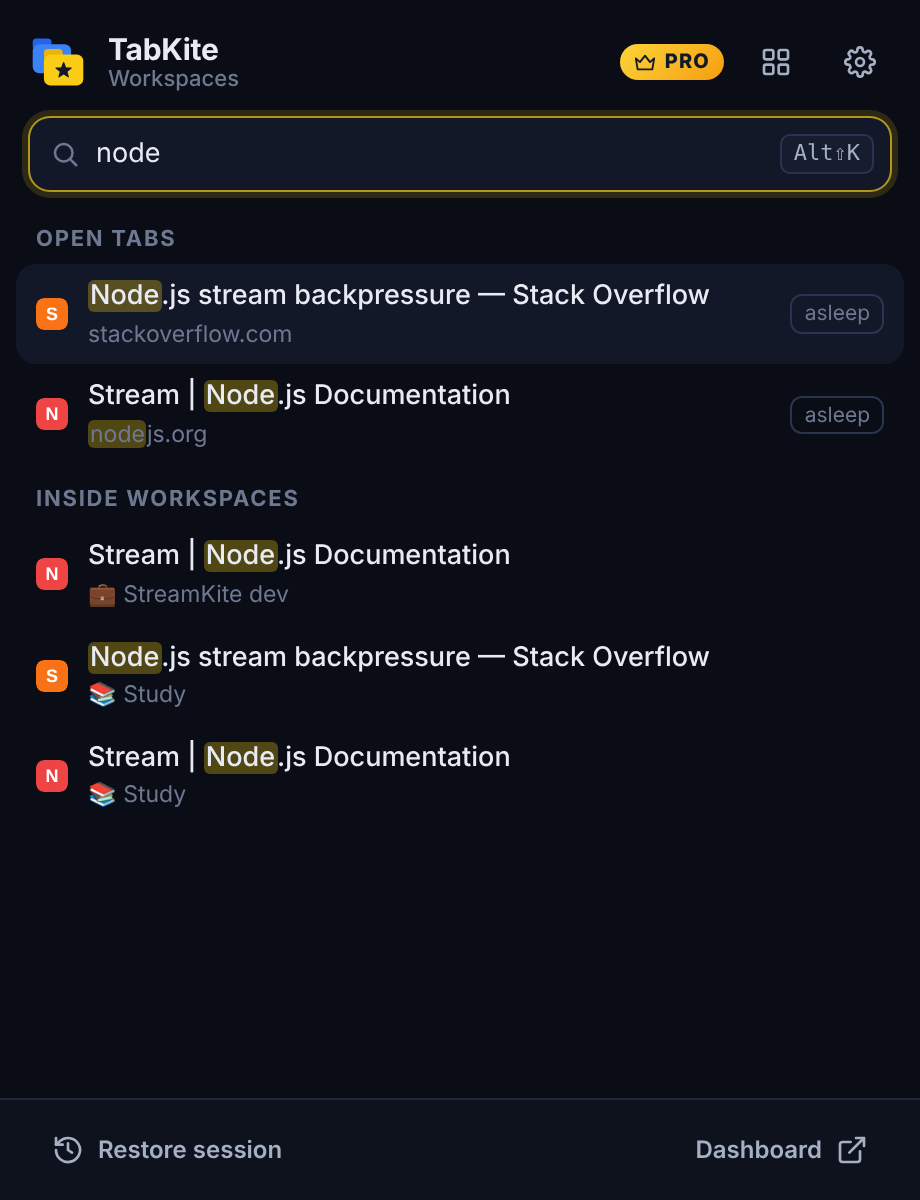
Find any tab in a second
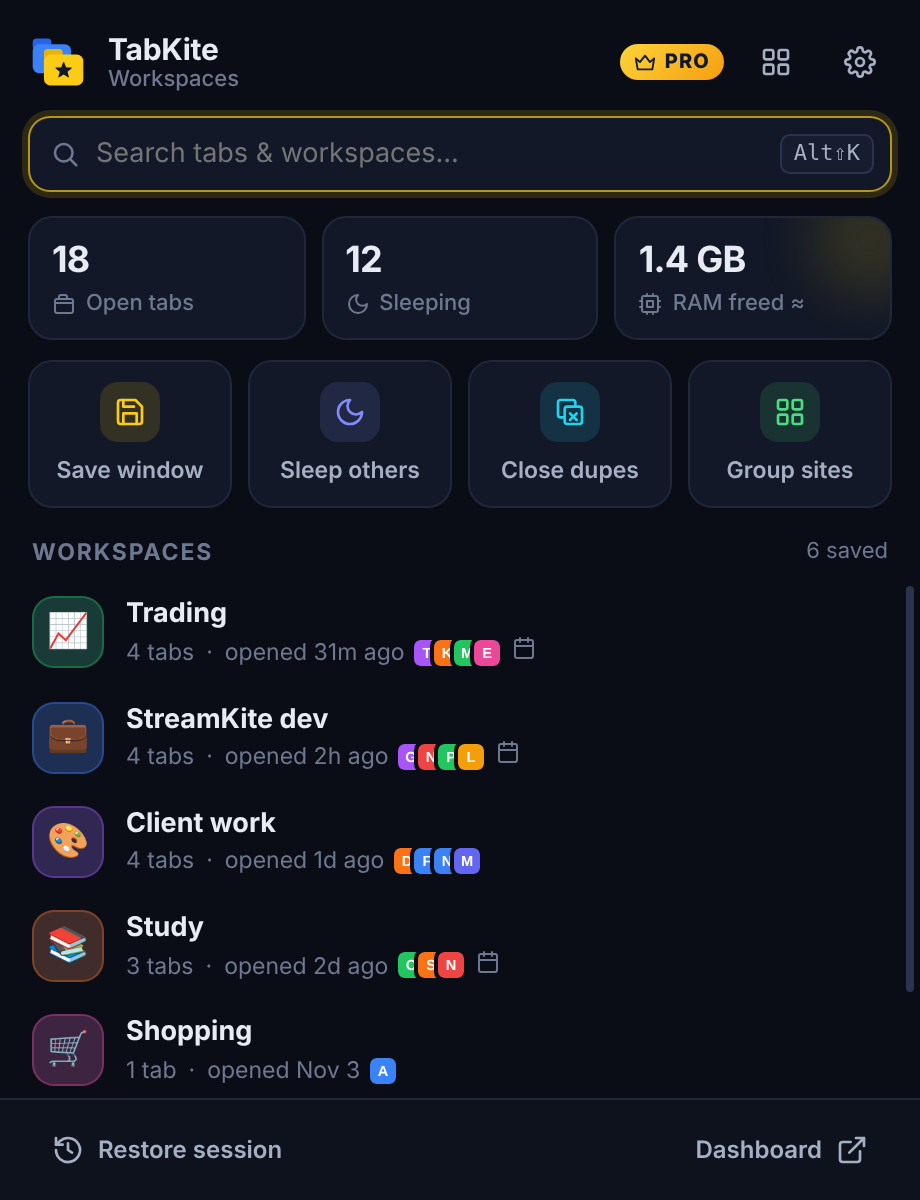
Press Alt+Shift+K and type. TabKite searches open tabs, your workspaces and the tabs saved inside them.
- Arrow keys and Enter: no mouse needed
- Jump to an open tab, open a workspace, or reopen a saved page
- Close duplicates and sleep other tabs in one click
- Right-click any page: sleep it, never sleep this site, add it to a workspace
Small things that add up
Unlimited workspaces
Free includes 3. Pro removes the limit, for every project and client.
Group tabs by site
One click, or automatically: tabs from the same site go into a named, coloured Chrome tab group.
Tab archive
Auto-closed tabs land in a searchable archive. Restore any of them in one click.
Per-site rules
Different sleep timers per site, or "never sleep" for the tabs that must stay live.
Markdown & bookmarks
Export workspaces to Notion, Obsidian, or any browser's bookmarks.
Accent colours
Blue, violet, green, pink or orange, in light or dark mode.
Where your data lives
TabKite works without an account. Your tabs, workspaces and statistics are stored in your browser. Only two optional Pro features use our server.
| Feature | Where the data is | Can TabKite read it? |
|---|---|---|
| Workspaces, sessions, archive, settings | Your browser only | No |
| Insights (time on sites, tabs slept) | Your browser only | No |
| Encrypted sync (Pro, optional) | Encrypted on your device, stored on workspaces-api.tabkite.com | No, only you have the passphrase |
| Share links (Pro, optional) | The page links you choose to share | Yes, they're public by design. Delete them any time |
| License check (Pro) | License key and a random device ID | Yes, to apply the device limit |
Permissions, explained
| Permission | Why it's needed |
|---|---|
| tabs | Read tab titles and addresses to save workspaces, search your tabs, find duplicates and decide which idle tabs can sleep. |
| tabGroups | Save and restore Chrome tab groups as part of a workspace. |
| storage, unlimitedStorage | Keep workspaces, session snapshots and settings in your browser. Snapshots of many tabs can be larger than the default limit. |
| alarms | Check for idle tabs every minute, auto-save your session and open scheduled workspaces. |
| contextMenus | The right-click menu: sleep this tab, never sleep this site, add to workspace. |
| favicon | Show site icons for saved tabs without loading anything from the internet. |
| workspaces-api.tabkite.com | Pro only: license activation, encrypted sync and share links. |
| scripting + all sites (optional) | Asked for only if you turn on "Protect unsaved forms". Before sleeping a tab it checks whether a form has unsaved text. Nothing is read, stored or sent. |
TabKite doesn't read page content, track your browsing or show ads. Details in the privacy policy.
Calm down your browser in a minute
Install, save your first workspace, and let idle tabs sleep. Free forever, with Pro when you want more.
Memory savings are estimates; actual savings depend on the sites you have open.